|

|
 | |  |
|
| Mobile4You | version 2.0.2.135 |
| E-mail checker - forwarder |

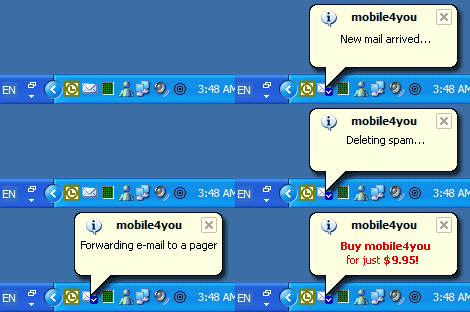 |
Mobile4you© - e-mail and reminder forwarding to a cellular phone or a pager. As a Tray
client, it checks e-mail, setup reminders, alerts and forwards filtered messages and reminders to a phone, a pager or other e-mail addresses.
|
 more Screenshots more Screenshots |
 |
|
|
 |
|
|
 |
Features
E-mail, reminder and forwarding to a cellular phone or a pager
As a Tray client, it checks and notifies about e-mail messages from multiple accounts (POP3, IMAP), provides spam filters, reminders, forwards filtered and compressed messages to a phone, pager or other e-mail address, depending on your status (online, away, busy..)
Supports POP3 and IMAP4 type e-mail accounts only.
Ensures the possibility of filtering and compression the messages and junk mail (spam)
Carries out a quick check of messages without launching Microsoft Outlook or other email client
Forward e-mail depends of your status (online, away, busy..), provides integration with MSN Messenger (future options)
4 level e-mail compression before forwarding
|
|
| Mobile4You Frequently Asked Questions (FAQ)
1. How do I make mobile4you to start with Windows?
Check the "Start with Windows" combobox in the Options/General. After that mobil4you will automatically start with Windows.
2. How do I read new e-mail immediately after receiving notification?
Click on notification balloon to run you default e-mail client. Be sure that "Run on balloon click" checkbox in the Options/General is checked.
3. How do I add my pager/mobile phone provider to the list?
In the mobile4you installation directory find the file "m4usms.ini". It is a simple configuration text file, which can be edited (even while mobile4you is running).
4. How do I navigate and edit the lists in Options?
Every list in "Options" dialog has 5 basic actions: add, edit, delete, move up and move down. They can be accessed by clicking buttons on the toolbar (ussually on the right side of the list) or by right-clicking on the list itself. In addition to the double-clicking the list item automatically starts editing action. Checkboxes to left of the list items allow their activation/deactivation.
5. How do I automatically clear or check all items in the Reminders time lists?
Right-click on the desired list and select appropriate action.
6. How do I automatically set today's date for my reminder?
Right-click on any of the time lists and select "Set Today's Date" action.
7. How do I make sure that my reminder runs only one time?
When creating your reminder check "About Dismiss" combobox
8. How do I check for new versions of mobile4you?
Click "Updates" button in the "About" tab of Options dialog.
9. How do I check what kind of license I have for mobile4you?
See "Application Info" in the "About" tab of Options dialog.
10. How do I quickly add new Spam filter?
Right click on the mobile4you icon and select "New Spam Filter" in the menu.
11. How do I quickly add new Reminder?
Right click on the mobile4you icon and select "New Reminder" in the menu.
12. How do I see what mobile4you is doing while checking my e-mail accounts?
Right click on the mobile4you icon and check "Show Actions Status" in the menu. Next time when mobile4you will check you mail Status window will open and show all mobile4you actions.
|
|
| How to Buy
Find pricing, upgrade eligibility, and purchasing options. |
| |
 | |  |
|

 Home
Home



 Screenshots
 Frequently Asked Questions
 Top of page
 Tell a Friend
 Print
Print Add to Favorites


 Add to Cart
